DAW control utilityJCS-03
SigLink
Sixteen faders for a mixer that has none.
SigLink
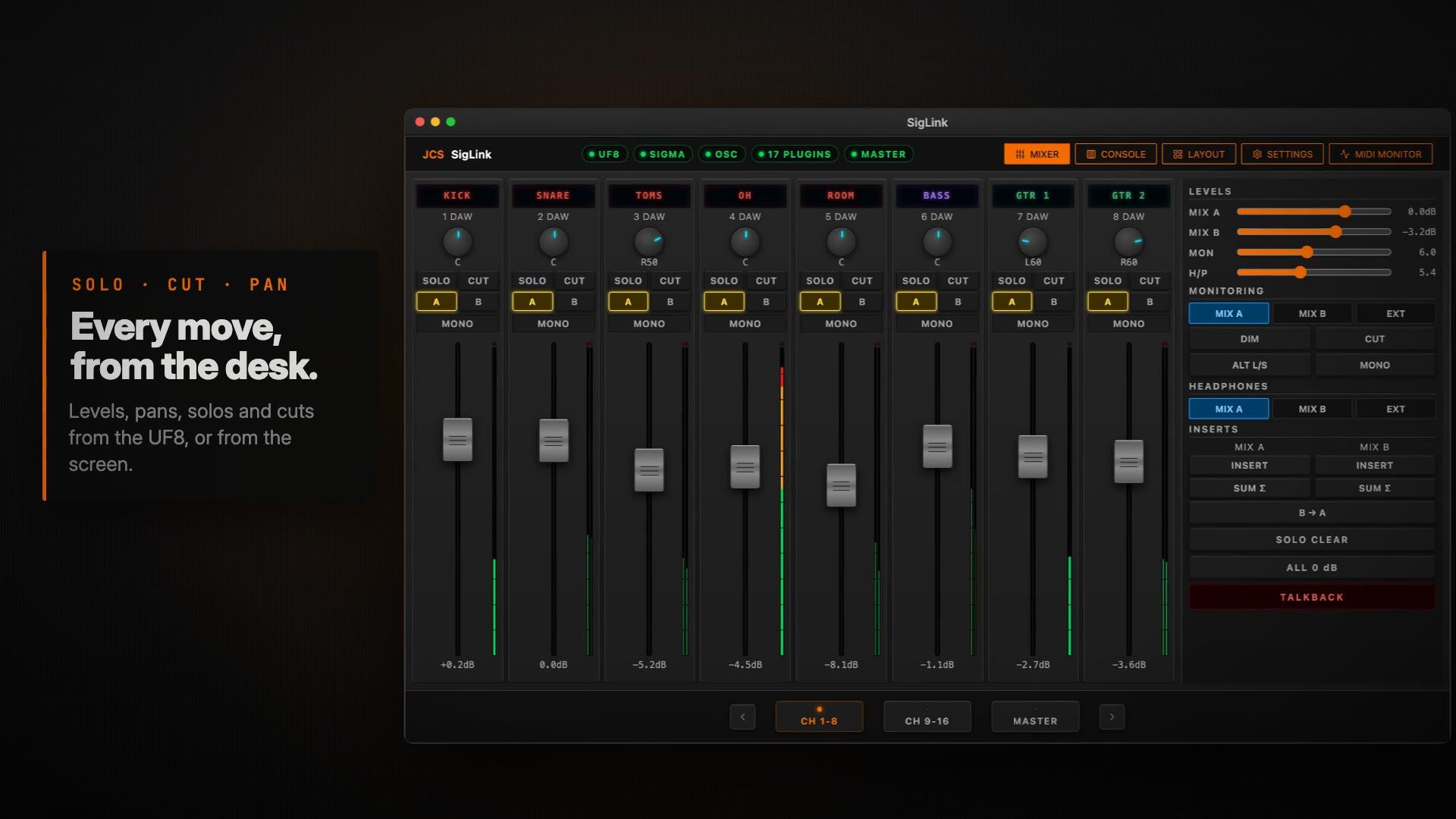
An MCU layer to control SSL Sigma(s) over OSCThe SSL Sigma δelta is a sixteen-channel analogue mixer that lives in a rack and has no faders of its own. You drive it over the network. SigLink puts it on the faders of an SSL UF8, shows your DAW’s track names, colours and meters on the displays, and records Sigma moves as ordinary DAW automation.
I built it for the Sigma in my own studio. I wanted my hands on faders, not a mouse, and I wanted the mixer to know what was plugged into it.
Front panel overview
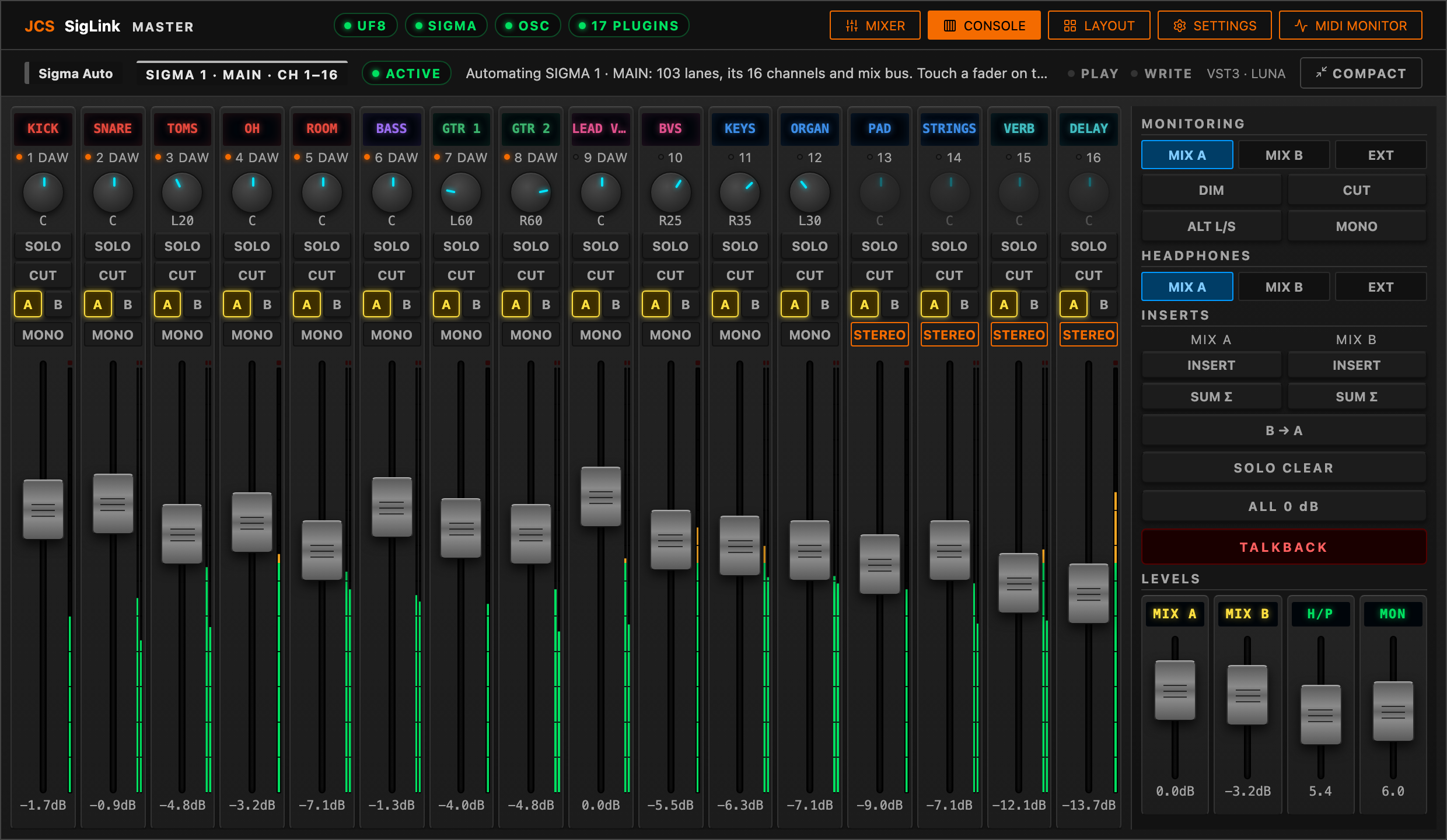
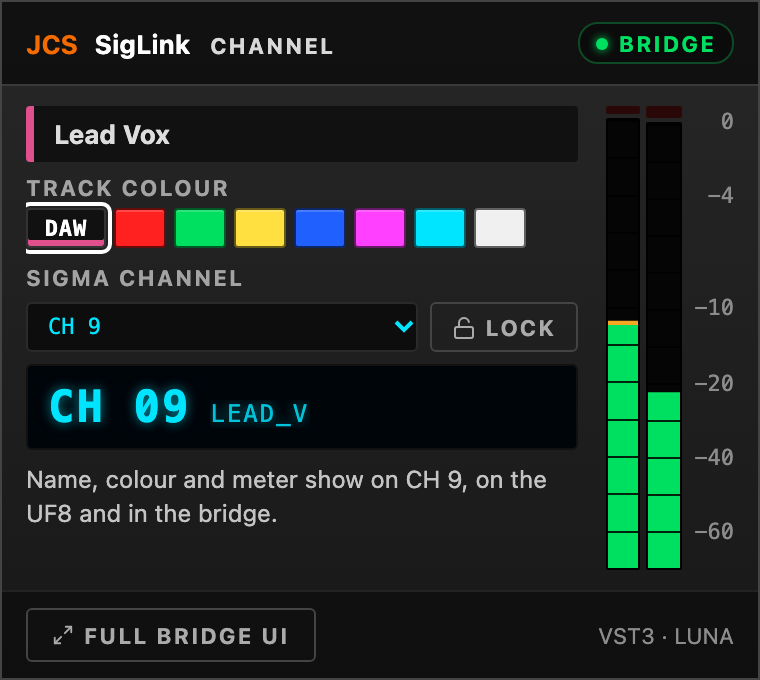
- Scribble strips. Your DAW’s track names and colours, the same as on the UF8’s displays. A channel marked DAW is fed by a SigLink Channel plugin on that track.
- Channel controls. Pan, solo, cut, mix A and B, mono or stereo. They’re the Sigma’s own controls, so a click here moves the mixer itself.
- Faders and meters. Each meter shows the DAW track’s level, right beside the fader that changes it. Move a fader on the UF8 and this one moves with it.
- Monitor section. Speaker and headphone sources, dim, cut, alt speakers, inserts, talkback and the mix bus levels.
- Automation. SigLink Master writes Sigma moves into the DAW as ordinary automation, 103 lanes per Sigma.
- Status lights. The UF8, the Sigma, its network link and the DAW plugins in touch with the app. Green means connected.
- Views. Mixer shows eight channels, the way the UF8 sees them. Console shows all sixteen. Then the layout editor, settings and a MIDI monitor for the curious.
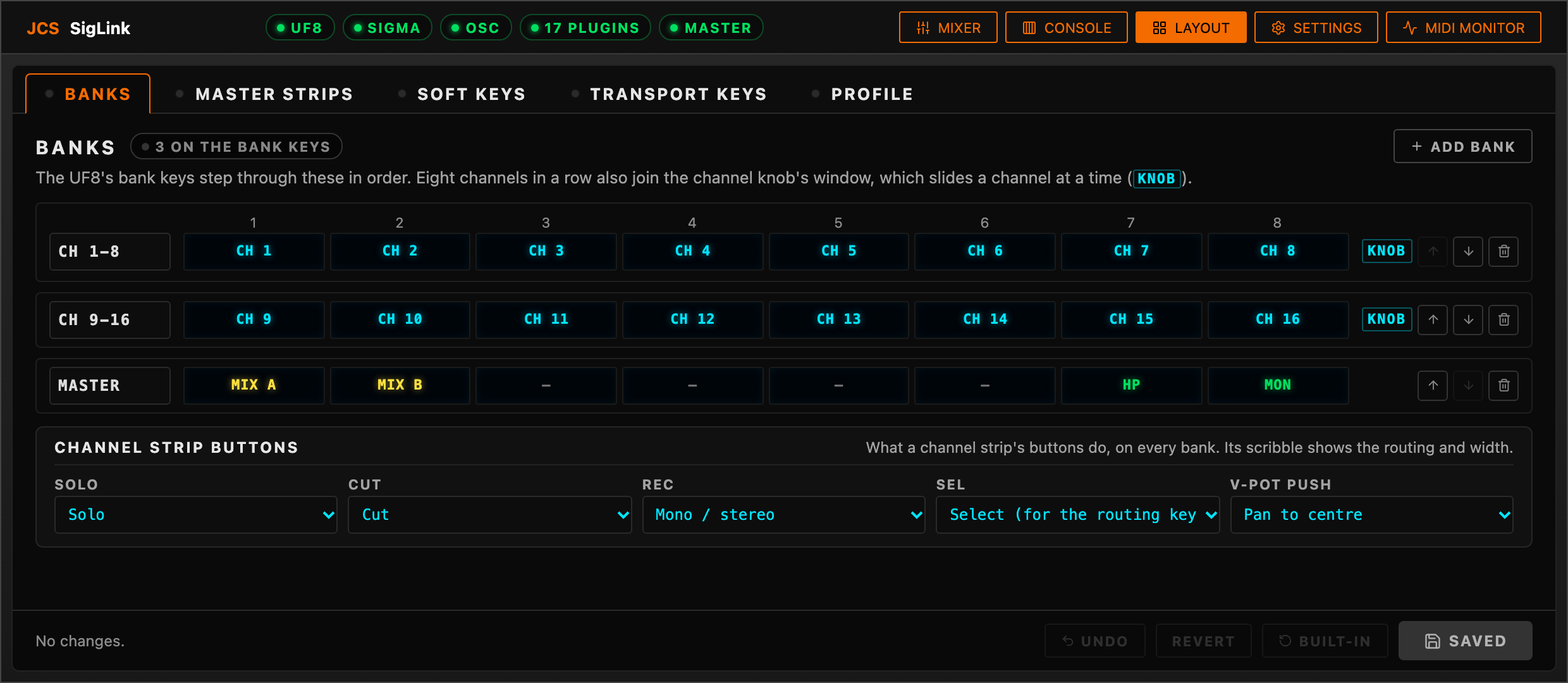
More screens
Specifications
- Platform
- macOS 13 or later. Native on Apple silicon.
- Hardware
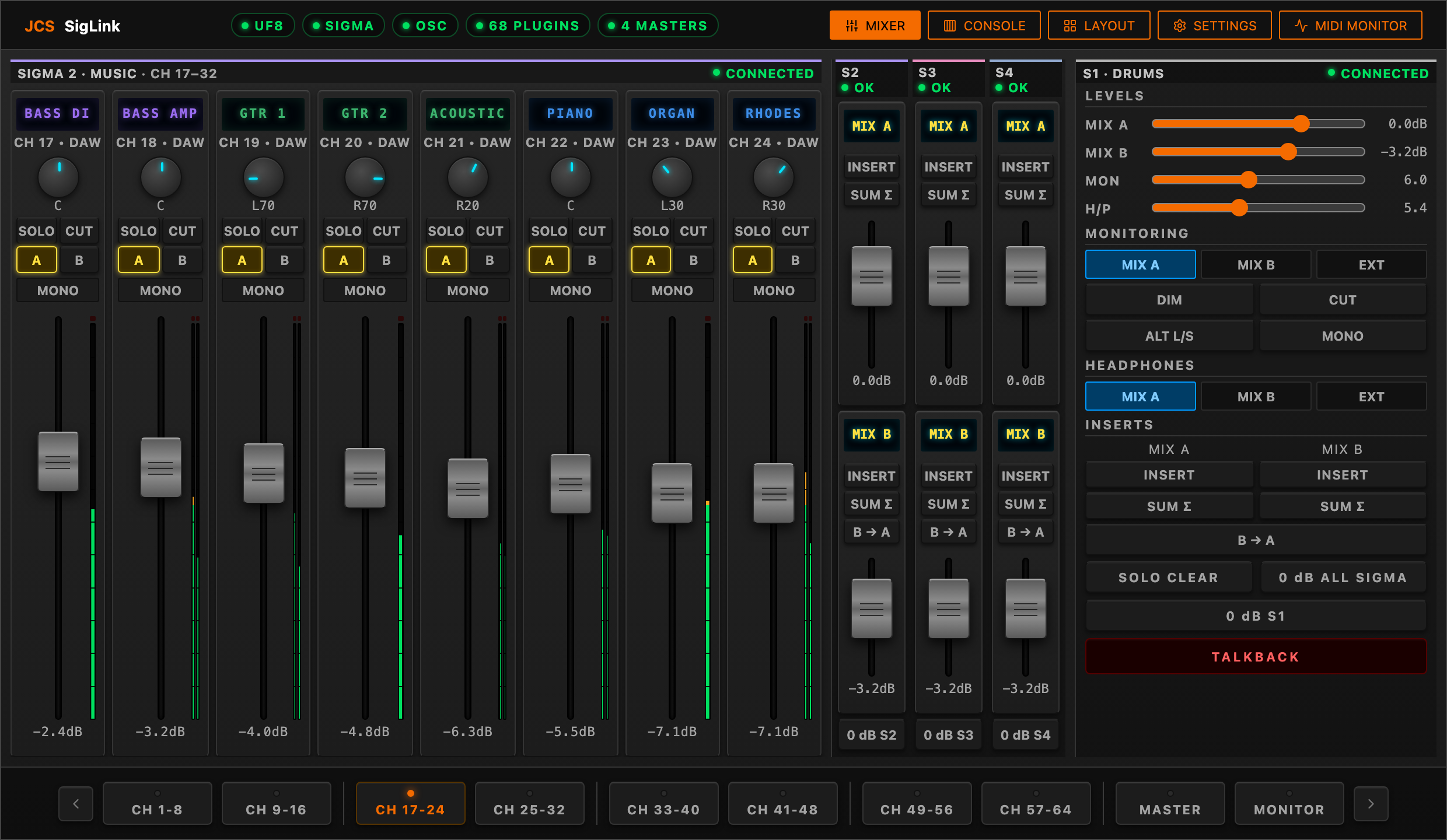
- SSL Sigma δelta and SSL UF8. Up to four Sigmas on one UF8, in testing.
- Plugin formats
- AU, VST3 and AAX. Pro Tools signing to follow.
- Modes
- Standalone, talking to the Sigma directly. Or Delta, alongside SSL’s own δ-Ctrl plugins.
- Channels
- 16 per Sigma, plus the monitor section on its own bank.
- Automation
- 103 lanes through SigLink Master.
- Built with
- C++ and JUCE 8. The interface is React and TypeScript, shared by app and plugins.
- Test suite
- More than 16,000 automated checks, including runs over the network against a software model of the mixer.
- Windows
- Not supported.
- Price
- To be announced.
Theory of operation
SigLink is three small programs passing notes to each other. The plugins sit on your DAW tracks and report what they know. The menu-bar app takes those notes and does two jobs at once. To the UF8 it speaks Mackie Control, the same language every DAW controller understands. To the Sigma it speaks the mixer’s own network language.
Because the UF8 thinks it’s talking to an ordinary DAW, nothing about SSL’s own software has to change. Because the app talks to the Sigma directly, nothing has to run under translation.
Troubleshooting
| Fault number | Symptom | Probable cause | Remedy |
|---|---|---|---|
| 01 | Using the mixer needed software that only runs in translation. | The official remote app is Intel-only, so Apple silicon Macs have to run it under Rosetta. | Standalone mode talks to the Sigma directly. The old remote can stay in the drawer. |
| 02 | Track names never arrived on the controller’s displays. | The controller’s driver quietly dropped any message too long to arrive in one piece. | Names now travel in pieces small enough to land whole. Found by watching the traffic, not by guessing. |
| 03 | The faders moved. The mixer didn’t. | The mixer expects its numbers in a format the documentation doesn’t mention. | Measured on the real unit, written down, and checked on every message since. |
| 04 | Every experiment risked a full-level surprise through the monitors. | Testing control software on live hardware is how speakers get hurt. | A software model of the mixer, checked against recordings from the real one. Thousands of checks run against it before anything touches the rig, new plugin instances send nothing until you move something, and real-rig tests happen with the monitors down. |
Revision history
| Rev | Date | Change |
|---|---|---|
| 0.0 | 27 Apr 2026 | First prototype, built in Open Stage Control. A web page full of buttons. It worked, mostly. |
| 0.1 | 2 May 2026 | First native plugin build, under the working name SigmaOSC. |
| 0.2 | 12 Oct 2026 | Rebuilt from scratch. 301 commits in twelve days.1 |
| 0.2.1 | 18 Oct 2026 | Renamed SigLink. User guide written, plugins tidied. |
| 0.3 | In testing | Up to four Sigmas on one UF8. Checked against a software model of the mixer, and now on the real rig, with the monitors down. |
- There was a lot of tea.
Declarations
SigLink is an independent product. It is not affiliated with, endorsed by or sponsored by Solid State Logic, Avid or Universal Audio. SSL, Sigma, δelta, UF8, 360°, Avid, Pro Tools, AAX and LUNA are trademarks of their respective owners and appear here only to describe compatibility.